Jump to content
View in the app

A better way to browse. Learn more.

Pride of Nottingham (Notts County Community)

A full-screen app on your home screen with push notifications, badges and more.

To install this app on iOS and iPadOS
  1. Tap the Share icon in Safari
  2. Scroll the menu and tap Add to Home Screen.
  3. Tap Add in the top-right corner.
To install this app on Android
  1. Tap the 3-dot menu (⋮) in the top-right corner of the browser.
  2. Tap Add to Home screen or Install app.
  3. Confirm by tapping Install.

Featured Replies

Posted

Hello everyone! Our gaffer has suggested that we all take a moment to update our profiles by adding an avatar/display picture and filling in our profile information. This will help us get to know each other better and make our community more vibrant and engaging. Also, don’t forget to follow members who interest you to stay updated on their posts and activities. Let’s make the most of our community together! ????

What inspired you to choose your current avatar/display picture? Who are some of the members that you follow and why do they interest you?

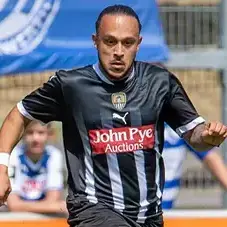
I understand that you have a few areas that need attention, but you plan to get to them over the weekend. You don’t want to add a cover image for now and that’s completely your choice. You used to have Neal Bishop as your display picture because he was the skipper you most connected with during your years supporting Notts, but now you have Kyle Cameron.

Nobody has to have a cover image, likewise with avatars (display pictures).

Members can keep the generic one if they prefer, profile wise fill in what you would like and follow the members who you enjoy reading their comments. Just have fun. We're a community, all of you matter, and we learn so much about the things you share. I encourage members to take a look at their profiles, but change and do what you wish.

If anyone needs help, in regard to images - please ask. I will happily change, tweak, edit or provide things.

Just say what you would like doing, either attach the image or PM (personal Message) me. I am happy to help. :) 

I think most of my profile is filled in. I will check and, as for following members, I have followed quite a few, which I look forward to engaging with.

I have sorted my profile and have followed members. It’s interesting reading what people write in their profiles. The ‘About Me’ section can tell a lot about a person.

One of the first things I did upon joining was to add a picture and fill in basic parts of my profile. I would agree that adding to it makes a person on a screen seem more interesting when their profile has information about them on it.

I will look into editing my profile and seeing what I can add to it.

i have pretty much all I want to add on show, but it is fun and nice to see what members profiles say. i do encourage everyone to follow people though, its always nice to connect with fans.

My grandson made my profile picture for me. He told me that it’s a small computer board type thing and said it would be good for my Twitter handle. I asked him to add the old single magpie and the rest is history. I sometimes struggle with technology, but I find Twitter and PON quite easy to use, although I do make the odd mistake. I’ll take a look at my profile and see what I can do.

28 minutes ago, RetroPie said:

My grandson made my profile picture for me. He told me that it’s a small computer board type thing and said it would be good for my Twitter handle. I asked him to add the old single magpie and the rest is history. I sometimes struggle with technology, but I find Twitter and PON quite easy to use, although I do make the odd mistake. I’ll take a look at my profile and see what I can do.

It looks good @RetroPie your grandson is a clever lad. ????

Yes, he is clever and knows quite a few things. Unfortunately, he chose to support Leicester City due to the influence of his father.

I put a crown on King William’s head for my display picture. I think I do follow some members. I may have another look; I did add some information to my profile.

Create an account or sign in to comment

Recently Browsing 0

  • No registered users viewing this page.

Important Information

Pride of Nottingham uses cookies to ensure you get the best experience on our website. To approve, simply continue using the site or click 'I accept' Terms of Use.

Configure browser push notifications

Chrome (Android)
  1. Tap the lock icon next to the address bar.
  2. Tap Permissions → Notifications.
  3. Adjust your preference.
Chrome (Desktop)
  1. Click the padlock icon in the address bar.
  2. Select Site settings.
  3. Find Notifications and adjust your preference.